
Client app with AI assistant
For businesses where the client regularly uses a service. AI helps ask a question, continue a past inquiry, get a hint, and not start from scratch every time.
«The limits of my language are the limits of my world»
Mobile apps
AI SoulFabrica develops mobile applications where an AI employee works inside the user scenario: helps, explains, reminds, preserves context, and leads the person to the desired action.
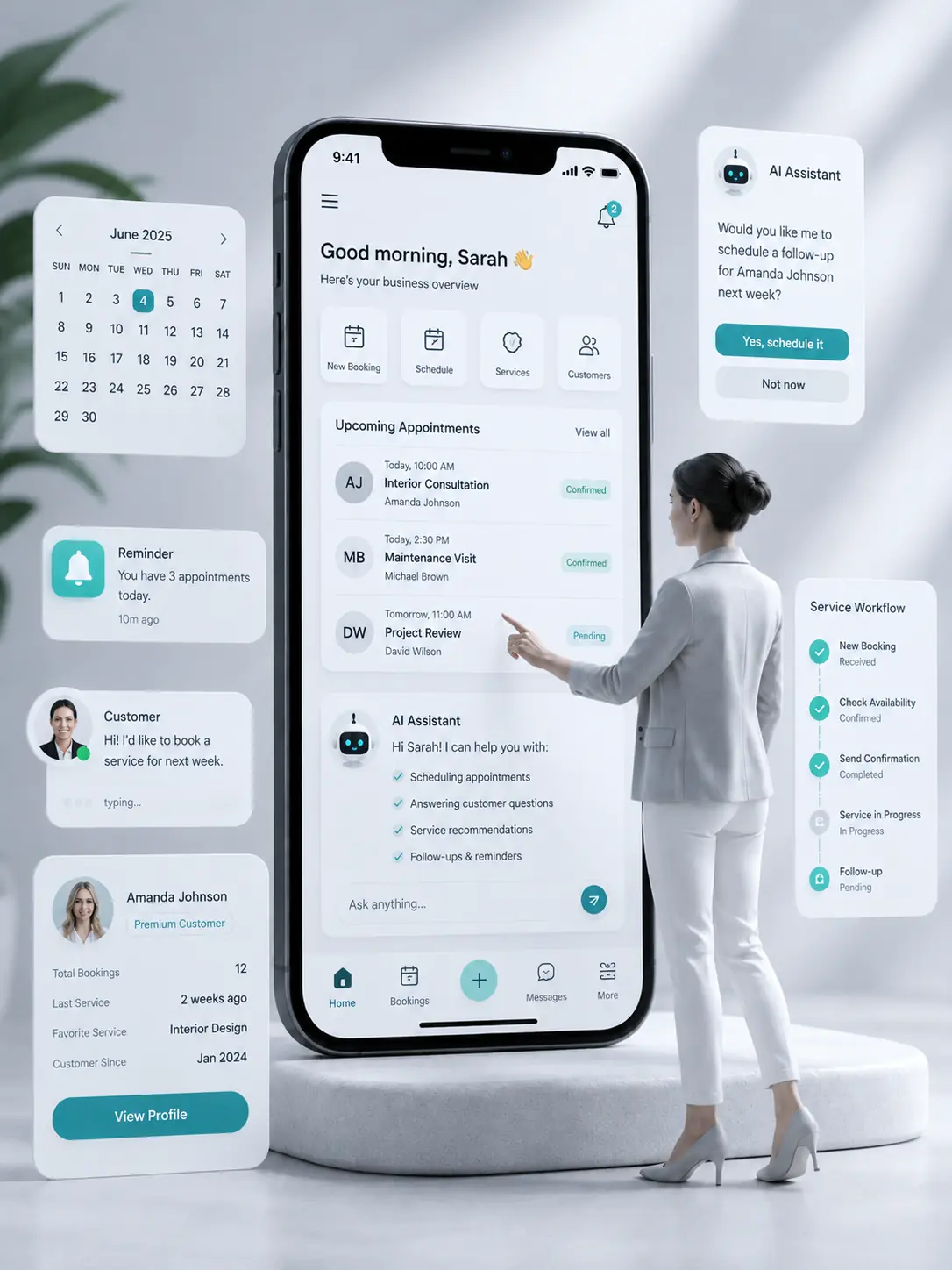
A mobile app is needed where it is important for the user to return: to history, profile, applications, bookings, results, notifications, and a personal AI assistant.
For businesses where the client regularly uses a service. AI helps ask a question, continue a past inquiry, get a hint, and not start from scratch every time.
Suitable for masters, salons, clinics, schools, consultants, and service companies. The user can select a service, book, reschedule a visit, or get a reminder.
For a new digital idea, MVP, or a separate AI service. We help assemble a product scenario, personal profile, action history, and a clear user path.
For employees, managers, and internal processes. The app helps work with tasks, applications, instructions, documents, and corporate knowledge base.
For services where profile, history, application statuses, saved results, documents, favorites, settings, and personal recommendations are important.
For systems where inside the product there is a client, employee, administrator, master, manager, or partner. Each role gets its own scenario and actions.
AI in an app is not just a chat on a separate screen. It can be part of a scenario: help fill in data, explain the next step, remind, save the result, or pass the inquiry further.
The user can ask a question directly in the app. AI explains what to do next, helps figure out the scenario, and supports the person inside the product.
Profile, inquiry history, applications, bookings, results, documents, settings, and saved user data are in one place.
The app remembers what the user did before: past inquiries, selected services, saved results, unfinished actions, and important context.
The app can return the user to the necessary action: confirm a booking, continue a task, check status, get a result, or not miss an event.
For some products, the user can upload photos, documents, screenshots, images, questionnaires, or other materials that the system then works with.
One app can have different roles: client, employee, administrator, master, or manager. A different interface and path can be made for each role.
A regular app often turns into a set of screens and buttons. An AI app helps the person move through the scenario and not abandon the action halfway.
A mobile app is especially useful if the client needs to return, see history, receive notifications, or work with a personal scenario.
When a client books, reschedules visits, receives reminders, asks questions, and returns to the service again.
When you need to assemble the first working version of a product, test a scenario, and give the user a clear mobile experience.
When the product works with regular users, recommendations, history, profile, saved results, and repeat use.
When it is important for the client to see statuses, applications, documents, results, inquiry history, and personal data.
When employees need mobile access to applications, tasks, instructions, knowledge base, and an internal AI assistant.
When the value of the product grows not in the first touch, but in long-term accompaniment of the user.
We look at a mobile app not as a set of screens, but as a permanent channel between the user, business, and AI employee.
A mobile channel where the user can return again, rather than just clicking once from an ad.
A personal account with history, profile, applications, results, and saved actions.
An AI employee inside the app that helps the user move through the scenario.
Less manual correspondence and fewer repeat clarifications of the same data.
Notifications and reminders that return the user to the necessary action.
A foundation for product development: roles, subscriptions, paid functions, analytics, and integrations.
Discuss app
Describe the task and we will help you understand if a smart website is enough or if you already need a mobile app with a personal account, notifications, and an AI scenario inside the product.